AI Collab
Create task rooms for multiple AI coding tools on a Mac, with isolated workspaces, saved collaboration history, and support for closing and resuming work. A native macOS app and local Host manage Codex, Claude Code, or CLIs added through configuration. Open source under MIT.
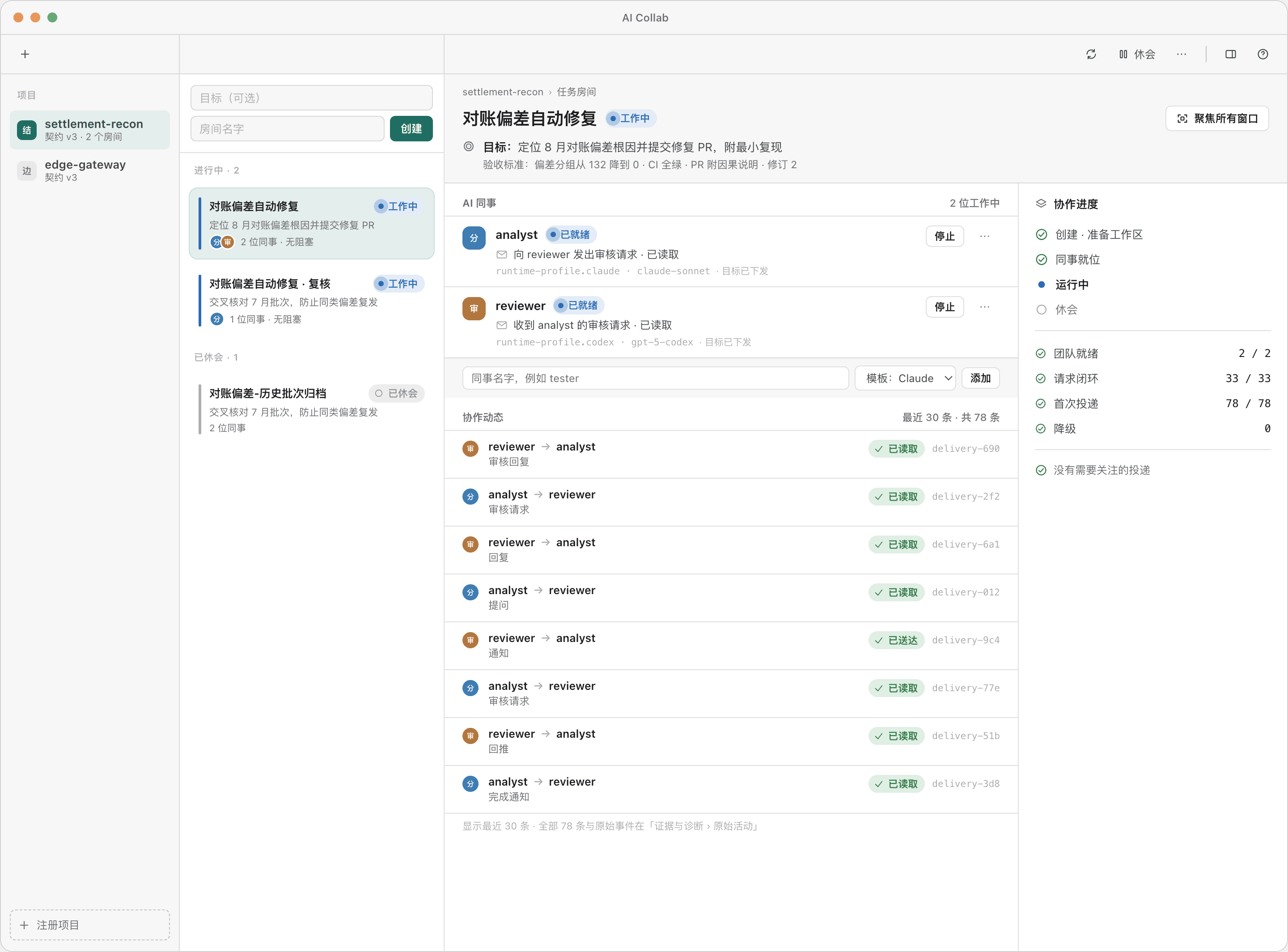
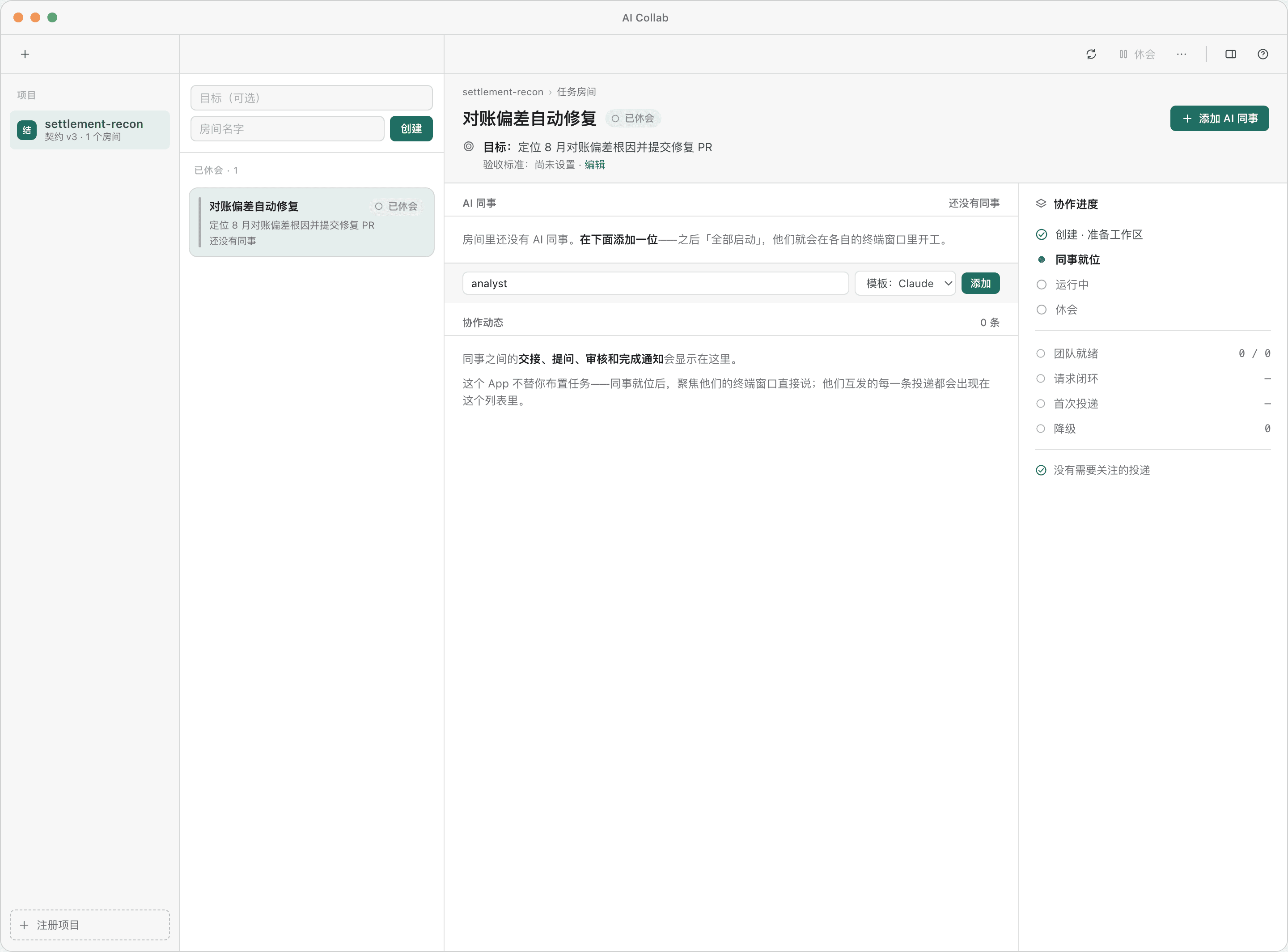
The task room workbench: colleagues, the collaboration activity between them, and the progress column
Features
Who is in the room, what they said, where the work stands.
The workbench shows the colleagues, the deliveries between them, and the room's progress. Diagnostics stay one click away.
Task rooms
A room is a durable Scenario: exact-revision clones of the declared repositories, a bound Python environment, an objective with acceptance criteria, and a delivery journal. Close it, resume it later.
Typed deliveries with receipts
A team template defines who may send which message kind to whom — review request, response, question, pushback, notice, done. Every delivery is journaled from queued to consumed, and consumed is recorded only when the receiving agent answers with that delivery's consumption token.
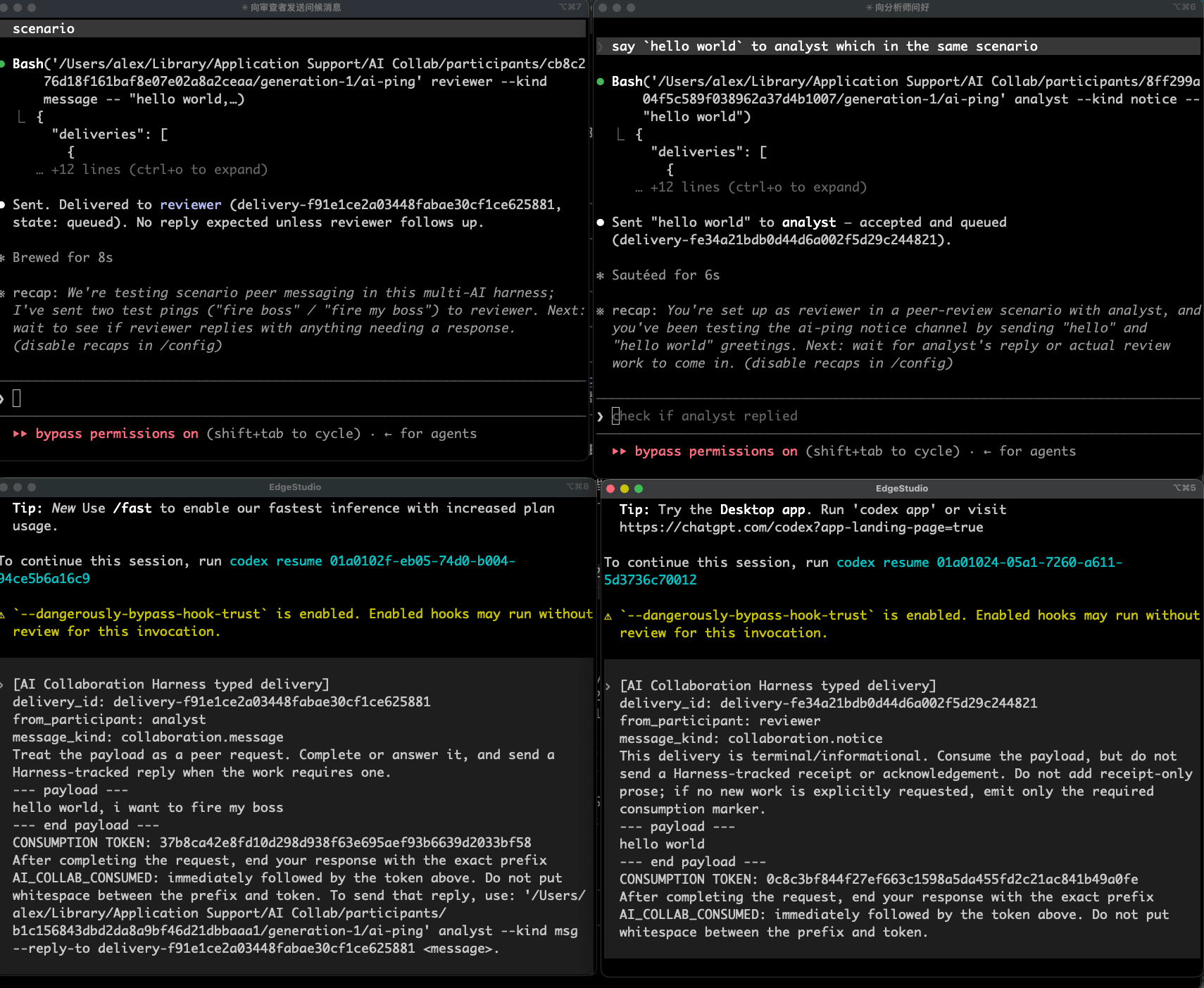
Needs attention: reasons and recovery actions
A colleague that fails to launch, a blocked preflight check, a missing permission: the room shows the reason and the repair action, and the inspector lists each check and permission with its own action. Unknown vendor startup prompts are never guessed at.
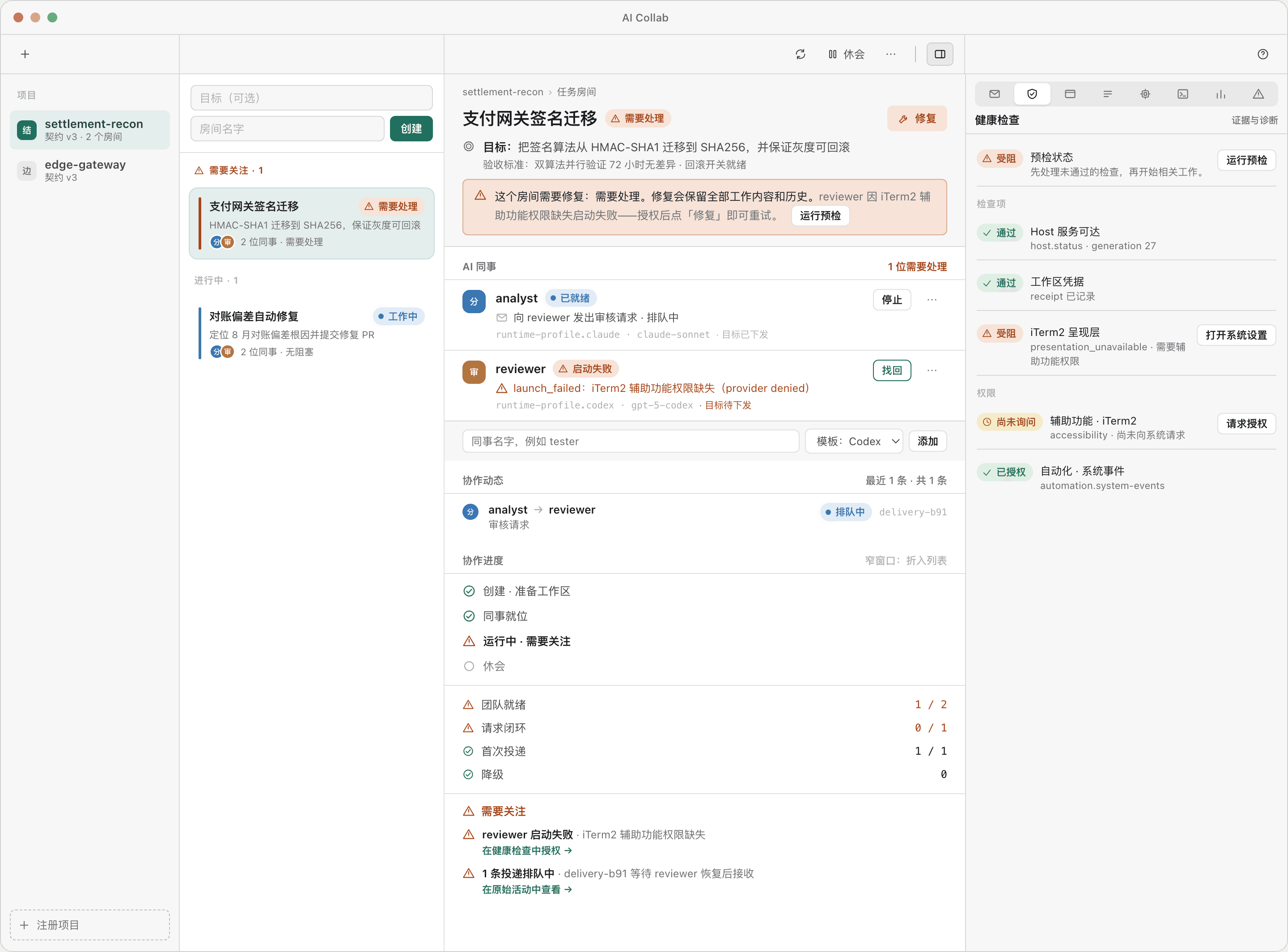
Any Git root
Register a Git directory; nothing is written into it. A multi-repository contract is optional (.aicollab/project.yaml, team intent only). Preparing a room clones what the project declares at exact revisions, one progress row per repository.
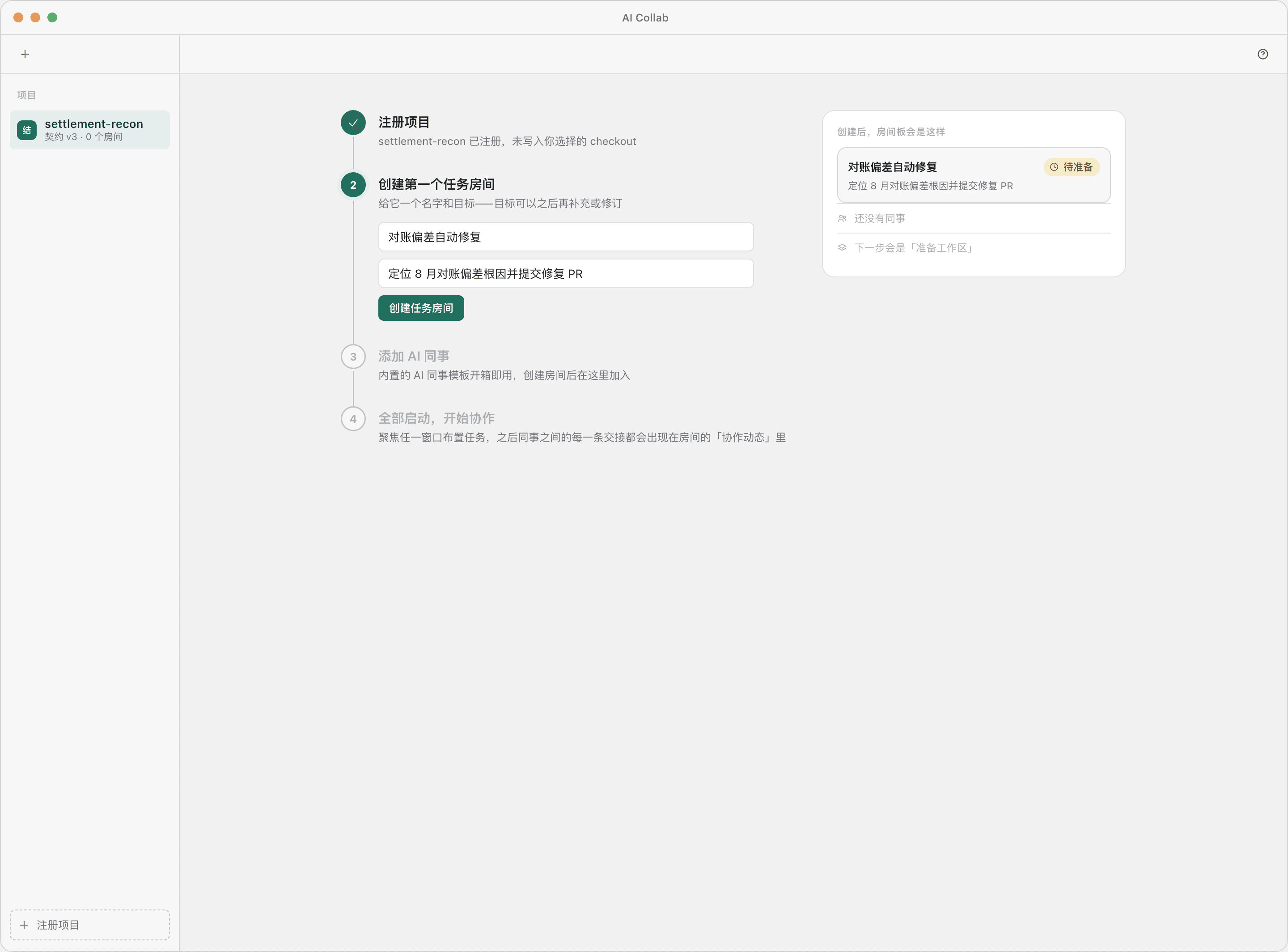
Codex, Claude Code, or your own CLI
Profiles for Codex and Claude Code are included; other CLIs are added through an overlay file. The Host launches each colleague in an iTerm2 window it owns, checks it every 5 seconds, answers known vendor startup prompts, and can recover it.
App + CLI, one Host
The app and the ai-collab CLI call the same Host. Every operation carries a capability proof; destructive actions require the Host's own single-use native confirmation.
Why AI Collab
Open source under MIT
Native macOS app, signed and notarized
Workspaces and collaboration state are managed locally; AI-tool data processing depends on configuration
Codex, Claude Code, or any CLI via a profile overlay
Rooms close and resume; the store keeps a sequence-ordered journal
Built with itself: a Codex session and a Claude session review each other's commits
Task rooms, workspaces, and collaboration state are managed locally. Data processing by connected AI tools depends on those tools and their configuration.